Side A: projects
Bobex. I plan what a quote comparison site writes about, and design how those pages look.
SEO, copywriting, design · day job · reading time
At Bobex, I’m SEO Expert / Brand Manager. In plain English: three kinds of work.
- SEO for the Netherlands: I find out what Dutch people type in before they ask for a quote. Then I make sure there’s a page ready for it.
- Brand and design: I design the building blocks writers use to put articles together, like a price table. Lego, but for pages. I’m also behind the design of a new site, in Dutch and French.
- Tools: whatever I do too often gets a tool of its own. Two of them are on Side B.
How I plan a page for Google
A good page doesn’t start with the copy. It starts with the reader’s question.
- Finding out what people search for. For each topic, I map out which questions people are asking. Each question gets exactly one page, so pages don’t compete with each other.
- A plan for every page. Every heading needs a reason: a search query, a question people really ask, or something that’s missing. ‘The competition has it too’ isn’t a reason on its own.
- Writing for people and for AI answers. The answer first, then the explanation. A figure always comes with its period and source, so Google and AI search engines can quote it. A price comes from three independent sources.
- Checking before it goes live. A fixed set of checks: structure, links, language and facts. A mistake that once slipped through becomes an automatic check, so it can’t come back. In the browser, I check a page with my own SEO extension, which I built in my own time.
- Measuring after six weeks. If a rule doesn’t help, it goes. That way the method gets smaller instead of bigger.
Building blocks for writers
Copywriters build articles from blocks in WordPress: a price block, a tip box, a step-by-step plan. I design those blocks in Figma and build a working example of each in code. IT then builds them into the system, their way. Every block has to work with whatever a writer puts in it: a short text or a long one, one card or ten, in Dutch or in French.
As of November 2026, I’ve designed twenty-six of them. Calls to request quotes, in six formats. Comparison cards, pros and cons, step-by-step plans and tip boxes. A slider for before-and-after photos, and a summary at the top of an article. And a box where you can ask Bobby, Bobex’s AI assistant, a question straight away. These are my five favourites.
1. Grants by region
A grant is different in Flanders, Wallonia and Brussels, and it changes often. You pick your region with a button or on the map of Belgium, and see at once what does and doesn’t qualify. When a grant runs out, the block switches it to ‘Expired’ by itself on the end date. Every grant lives in one place, so every article shows the same, correct version.
I deliberately gave this block no extra code for search engines: no existing type describes a grant per region honestly. Google and AI search engines simply read the text, the dates and the source from the page.
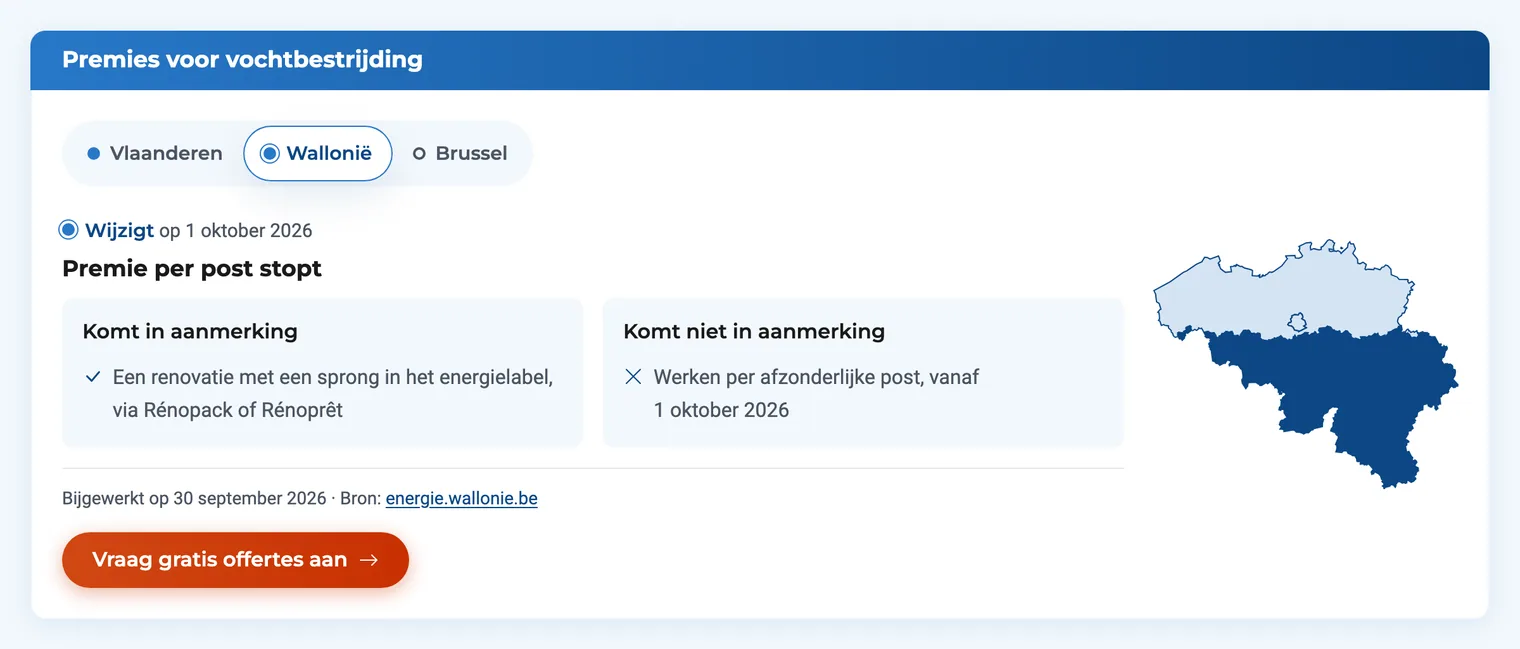
Grants by region, with a map and a status that updates itself.
2. The price range
‘From this much to that much’ doesn’t tell you a lot. A curve tells you more: the cheapest price on the left, the most expensive on the right, and in the middle a band with what most people pay. A dot marks the average. When the prices sit close together, the band still stays visible. When there’s too little data for a curve, the block draws a simple bar instead.
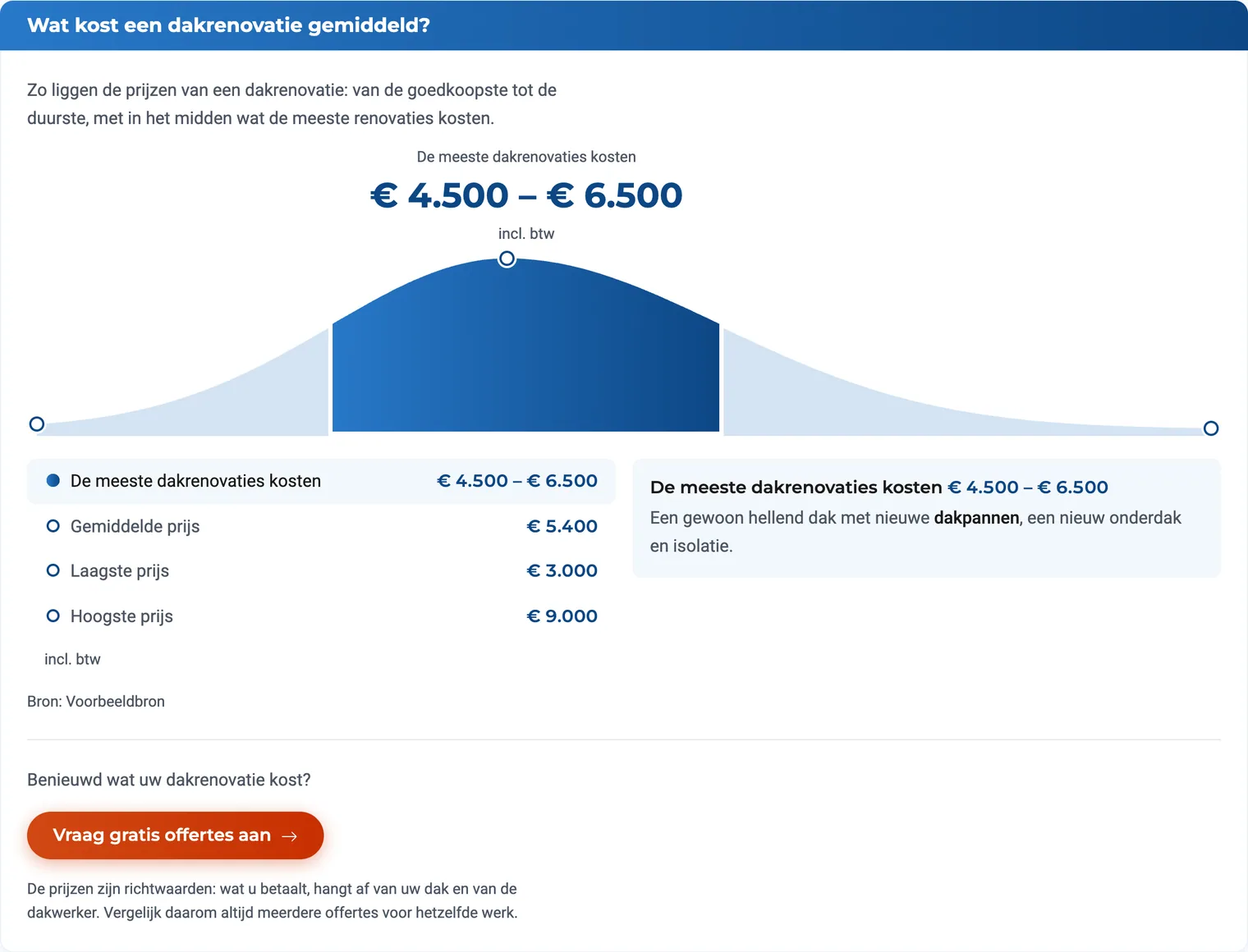
From the lowest to the highest price, with what most projects cost in the middle. Demo content.
3. The price breakdown
Where does your money go? A ring shows the share of materials, labour, waste removal and scaffolding. One colour in different shades, not a rainbow: that keeps it calm, and the part that matters stands out by itself. Point at a part and the explanation appears next to it. Click, and it stays put. It works with the arrow keys too.
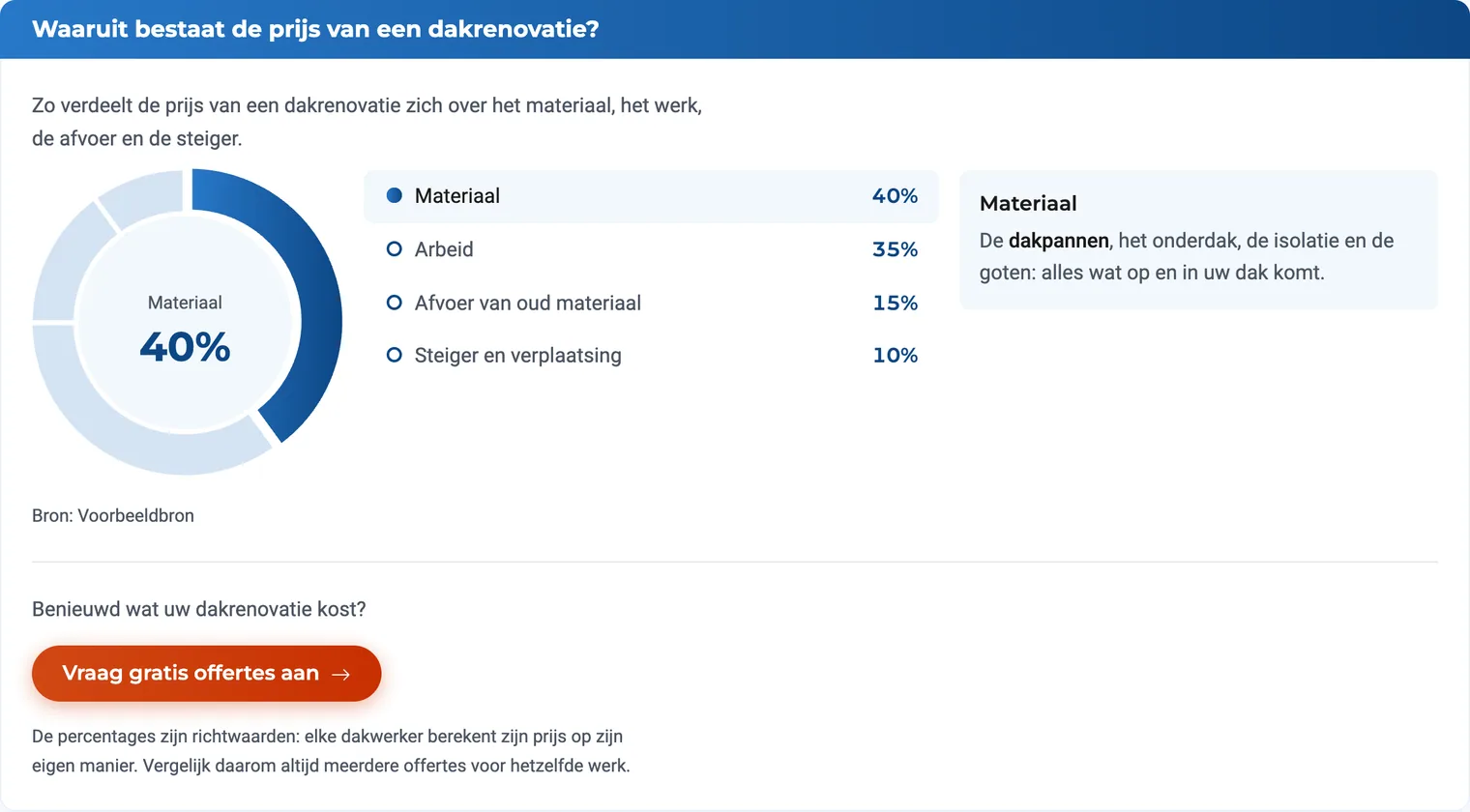
What a price is made of. Demo content: the percentages are sample values.
4. The calculator
One block for every calculator, in Belgium and in the Netherlands. The writer picks the topic, such as solar panels, windows and doors or a veranda, and the block adapts the questions, the calculation and the explanation by itself. Every estimate says what it’s based on, so readers know where the number comes from.
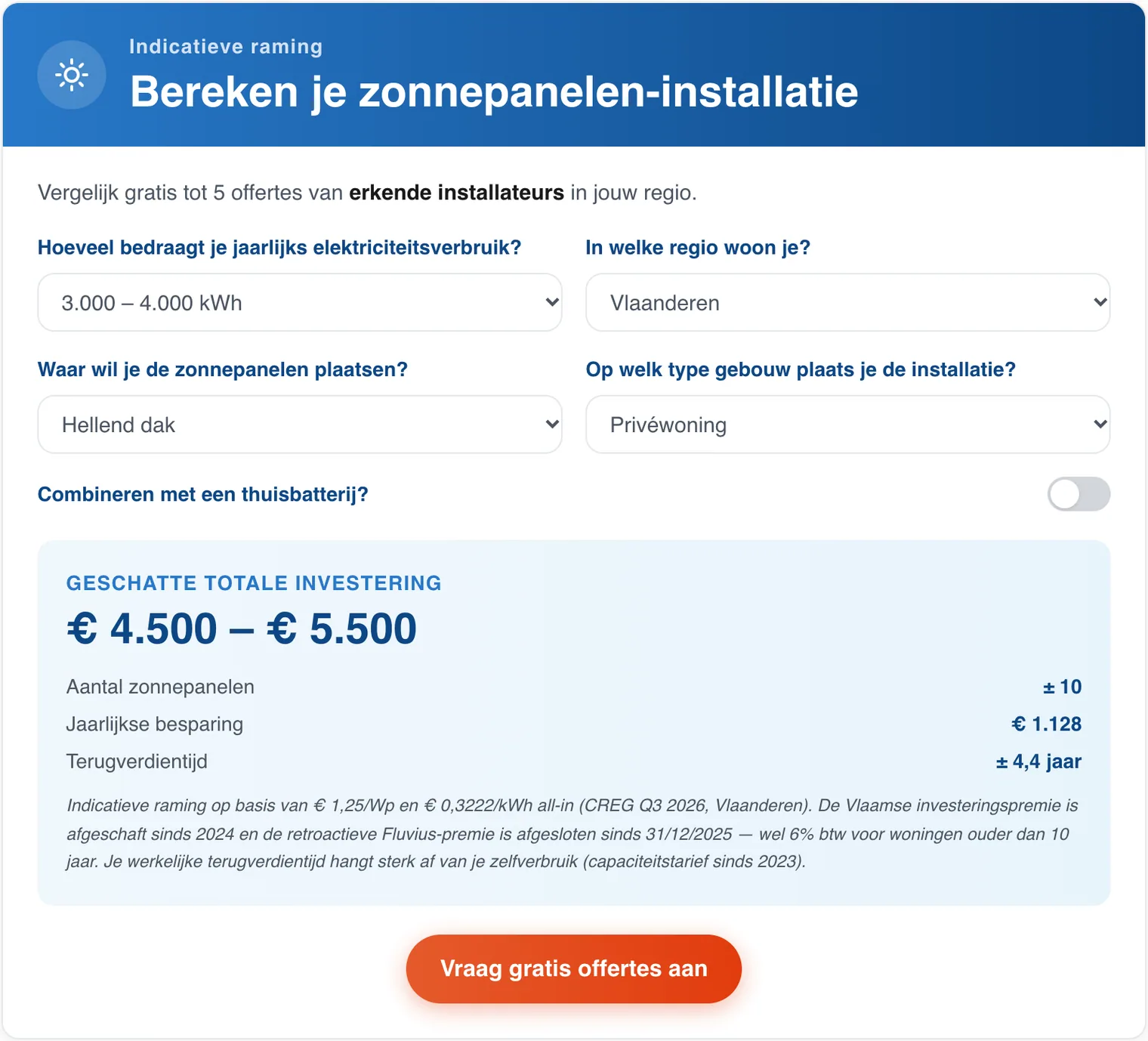
The solar panel calculator. Below the estimate, it says what it’s based on.
5. The answer box
This is where SEO and design meet. The question sits at the top, the short answer right below it, then what it depends on, and the source at the bottom. A reader has the answer in ten seconds, and Google or an AI search engine can take it over as it is, source included. One block for two kinds of reader: people with little time, and AI search engines with even less.

The short answer first, with the source. Demo content.
The new template
Around those blocks, I designed a new template for Bobex’s theme sites: each one a separate site for a single trade, such as roofing or flooring. It has sixteen page types, from the homepage to the thank-you page, for Flanders, Wallonia and the Netherlands. Every feature of the current sites stays; only the design and the structure change.
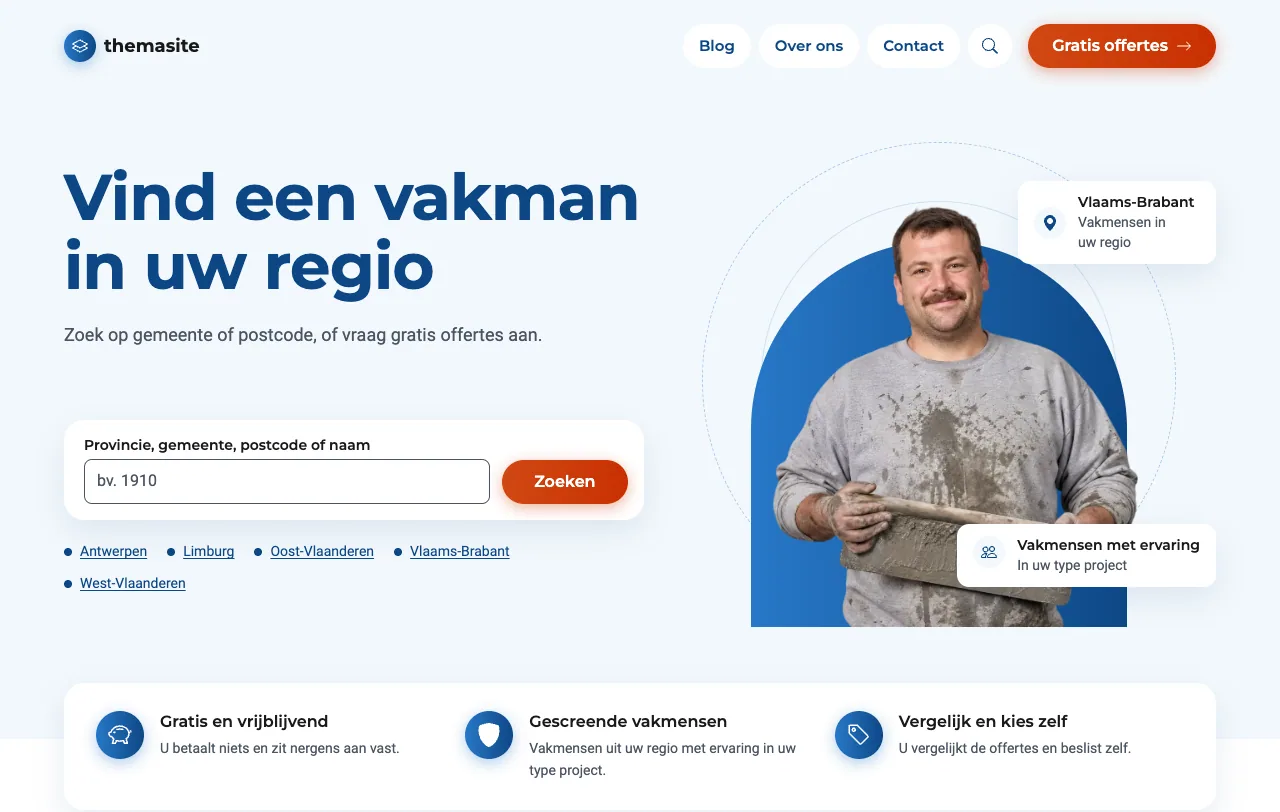
The homepage: search by town or postcode, and see straight away why you’d request quotes here. Demo content.
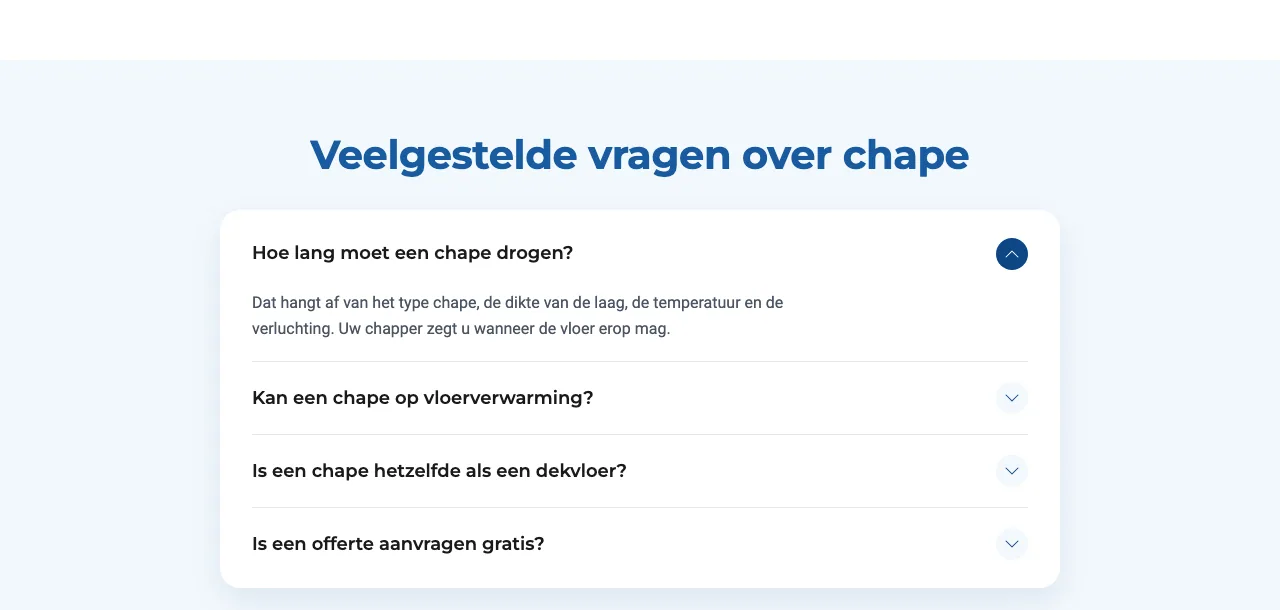
FAQs that fold open without making the page jump.
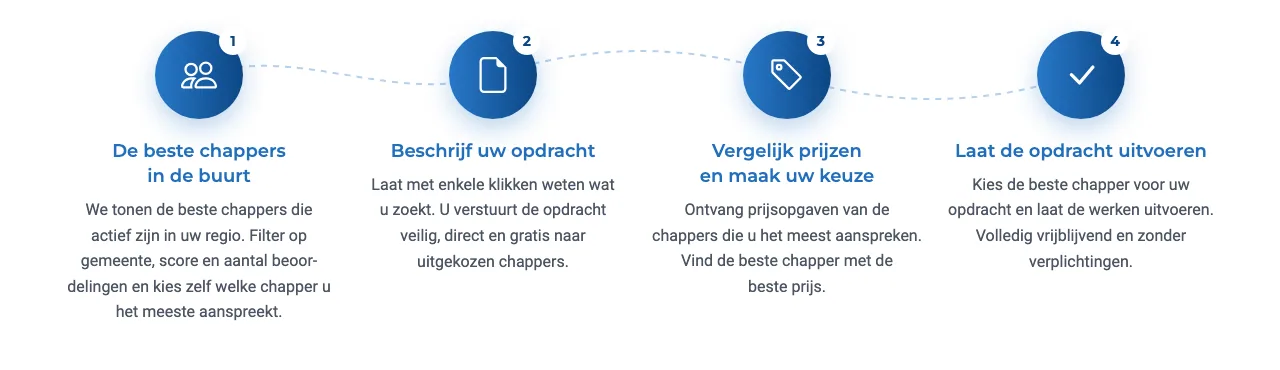
How it works, in four steps.
The choices behind it
- If it’s not in the system, it doesn’t exist. A block is a surface plus a density, nothing more. That keeps every page calm, even when a copywriter puts something unexpected in it.
- Headings for Google, not for looks. A writer picks an h2 or an h3 for SEO, and the block looks the same either way. Nobody has to choose between findable and good-looking.
- Made for AI answers. An answer box and a summary at the top give Google and AI search engines a short answer they can quote.
- Prove trust, don’t claim it. Only real reviews and real data. An image never pretends to be something it isn’t.
- Tested against the worst. Long Belgian company names, French copy that runs longer, empty fields. Every block meets WCAG AA, and that’s measured.
Where it stands in November 2026
- Nineteen blocks I designed are live today in articles on Bobex’s sites. Seven new ones are designed and handed over to IT.
- The new template is finished and handed over to IT, who are building it in now.
- It all comes together in one design system for the whole of Bobex.
My path at Bobex
- February to May 2025: SEO intern.
- June to September 2025: copywriter and on-page SEO, as a student job.
- October 2025 to September 2026: SEO Manager Netherlands.
- Since October 2026: SEO Expert and Brand Manager.
What this means for you
I do the same for you, at the scale of your business: finding out what your customers search for, writing the copy, and designing the pages it lives on. Nobody has to pass anything on to anyone else.
Visit bobex.be (opens in a new tab) Visit bobex.nl (opens in a new tab)
Fancy something like this for your business? Get a quote. Looking for a colleague rather than a supplier? Read my CV.